Making smart home control even smarter.
Designing new features for Belume Living's existing mobile app, giving users more control over their smart blinds.

The project
Adding new features without adding complexity.
Belume Living’s smart home app lets people control two independent blinds, for light, privacy and room comfort. The foundations were already in place, so I was brought in to design new features and extend the experience while keeping the app simple to use.
Client
Industry
Services
Timeline
Tools
The challenge
Two blinds. Multiple controls. One simple experience.
The existing app needed new ways to control two blinds. The risk was crowding the everyday actions people use most, so every new feature had to fit in without making the basics harder to find.
Independent control
Privacy and blackout blinds had to move separately, without confusing which is which.
Combined actions
Moving both blinds together had to feel as quick and clear as moving one.
Scheduling
Timed actions for one blind or both, without a complicated setup.
Limits and comfort
Each blind needed its own limits, with temperature-based control explored for the future.
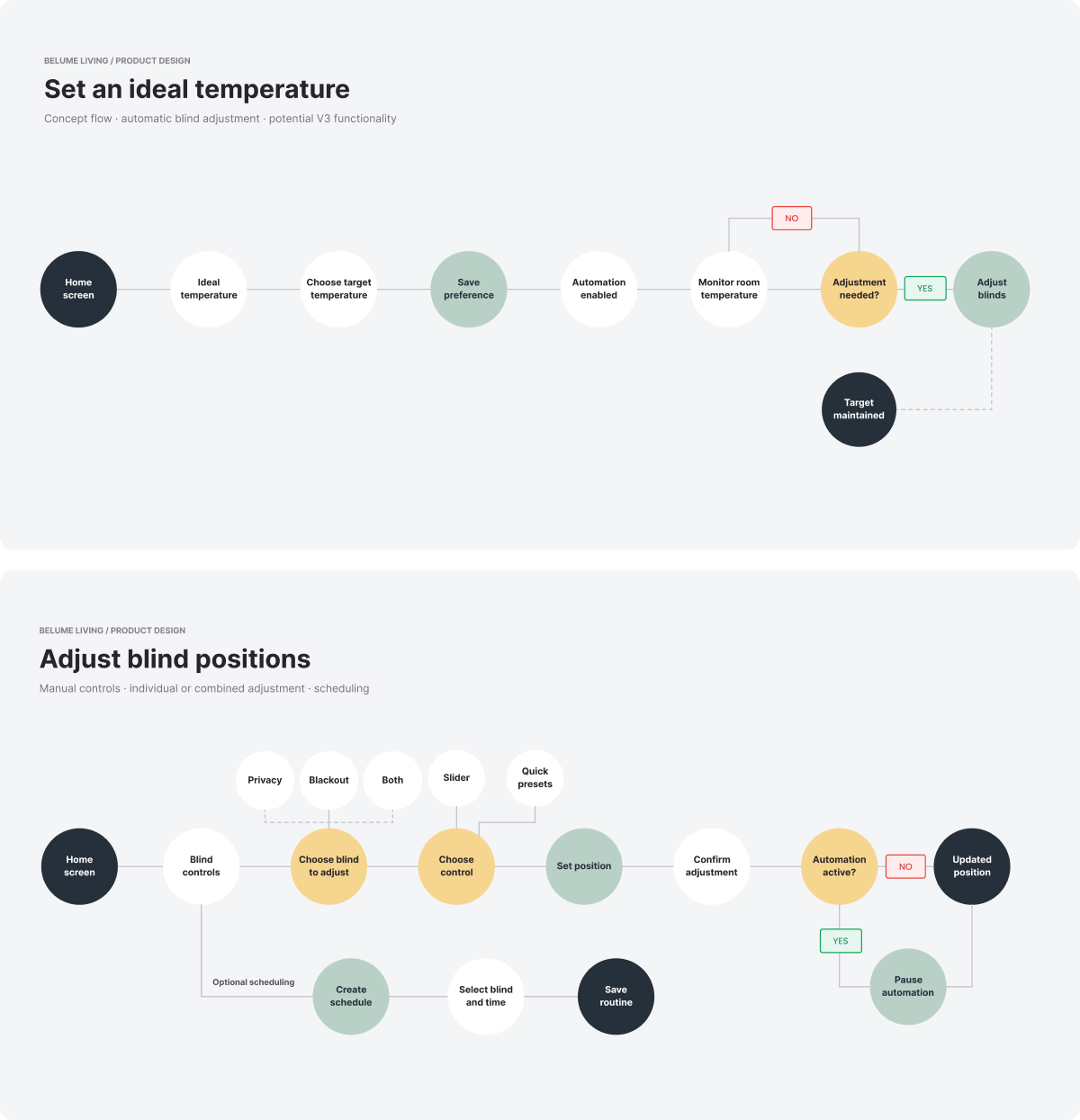
Mapping every way to move a blind.
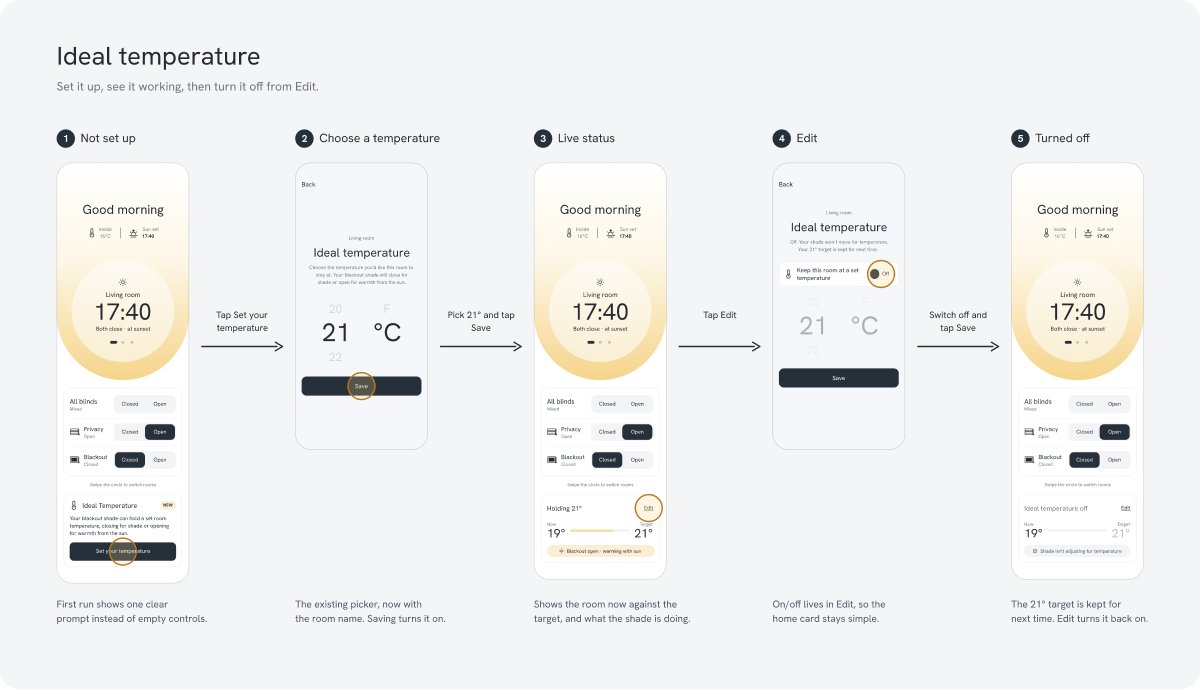
Before designing screens, I mapped how people would reach each feature: choosing a blind, picking a control and saving a routine. I also mapped a concept flow for adjusting the blinds automatically by temperature.
Putting the focus back on the product.
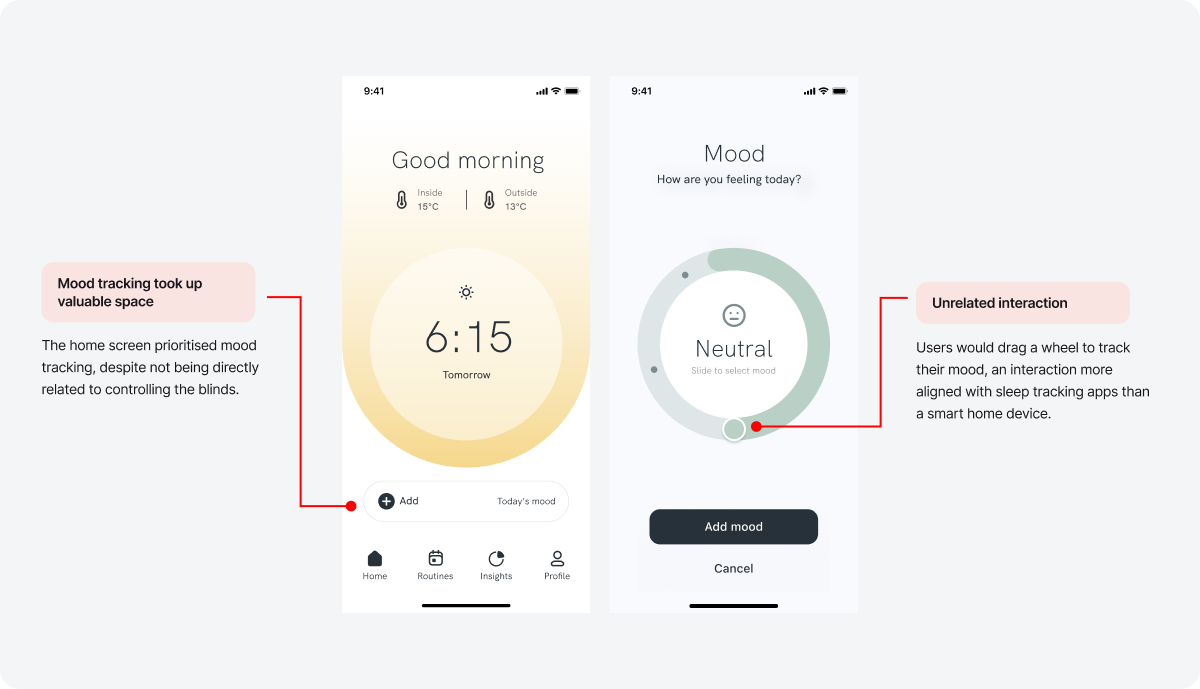
The original home screen led with mood tracking, which had little to do with controlling smart blinds. Removing it freed up space for the controls people actually needed day to day.
Exploring ways to move two blinds.
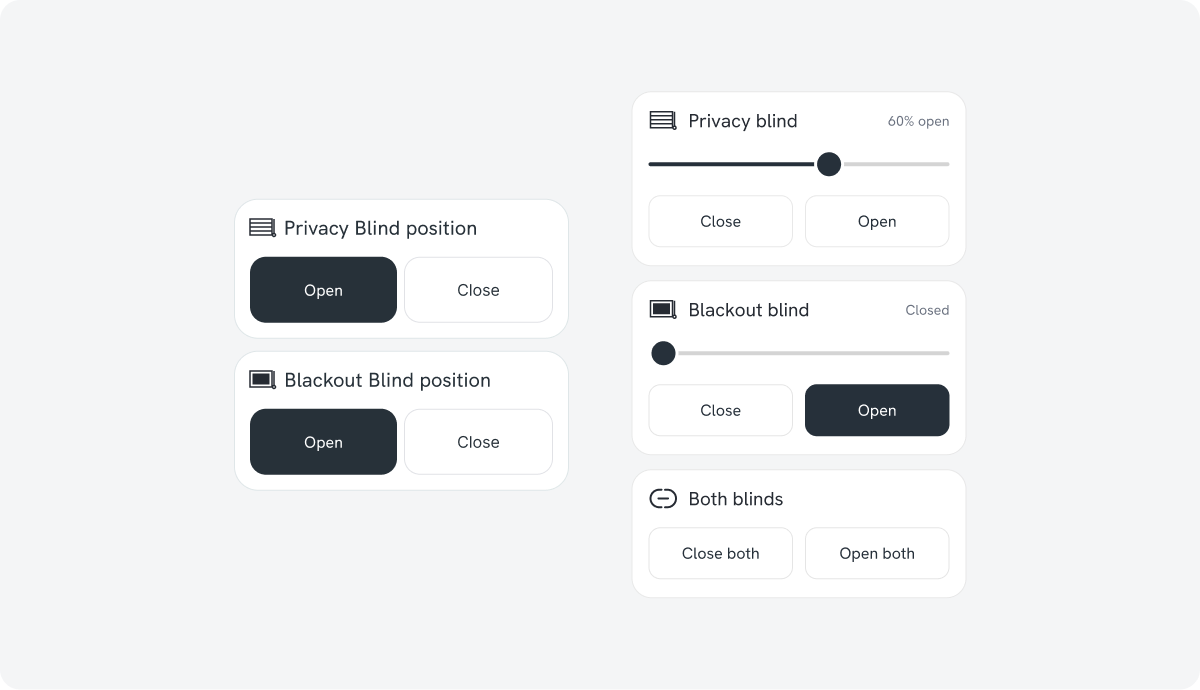
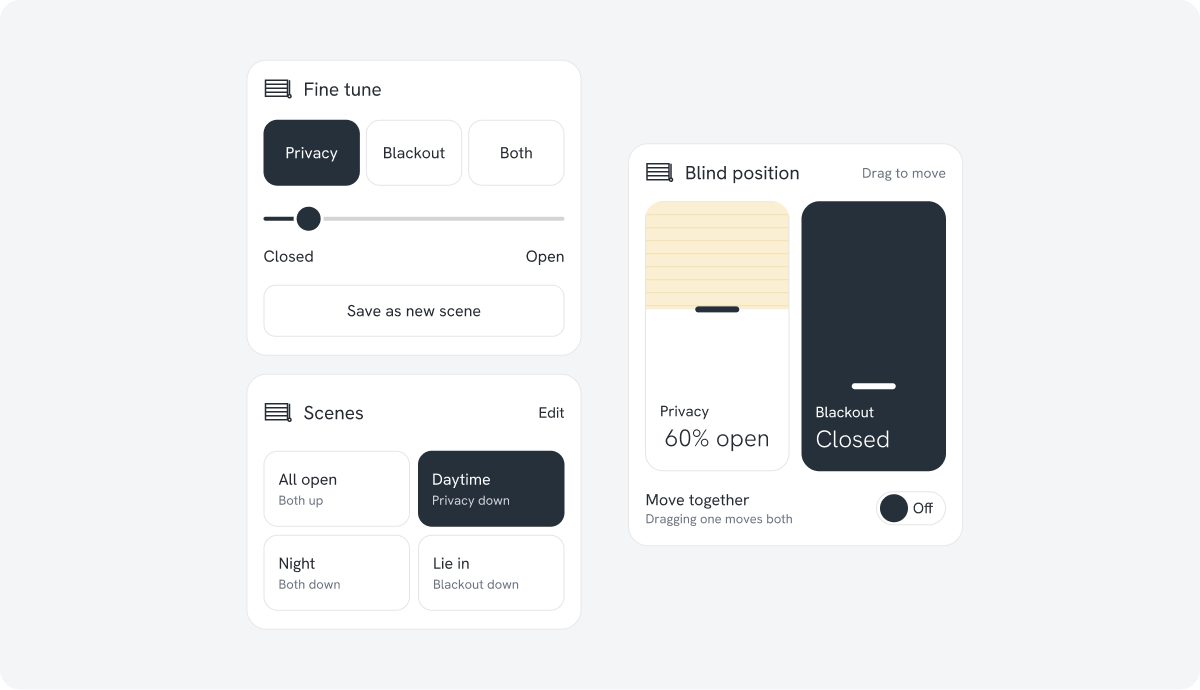
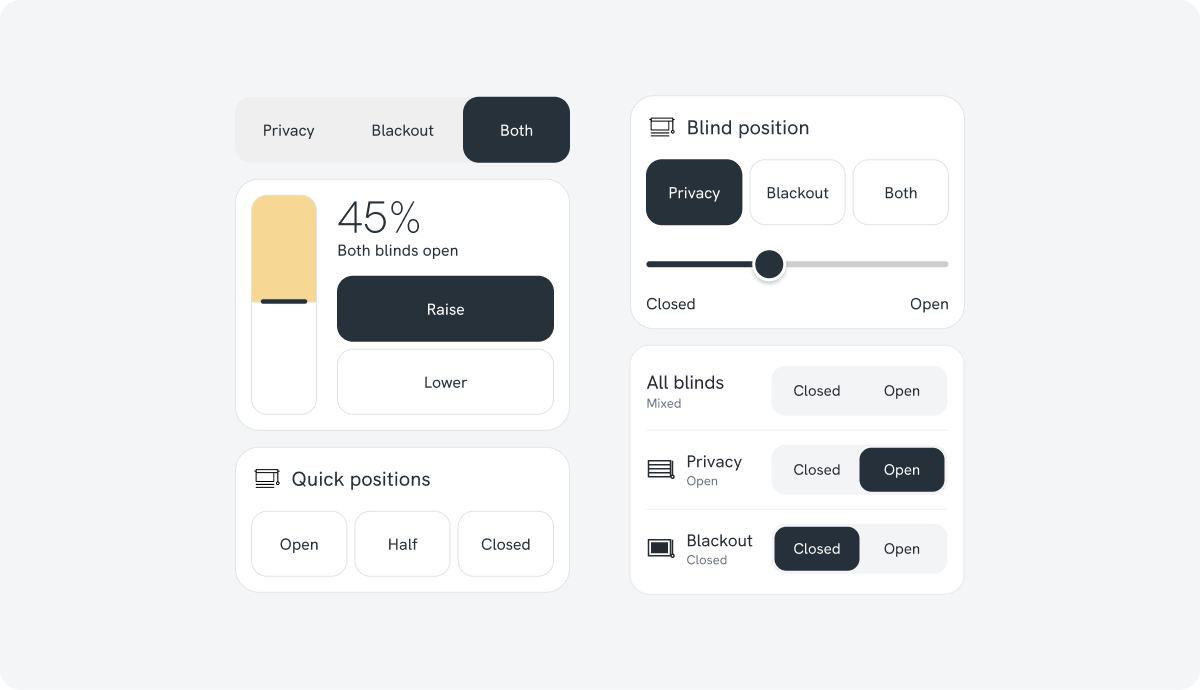
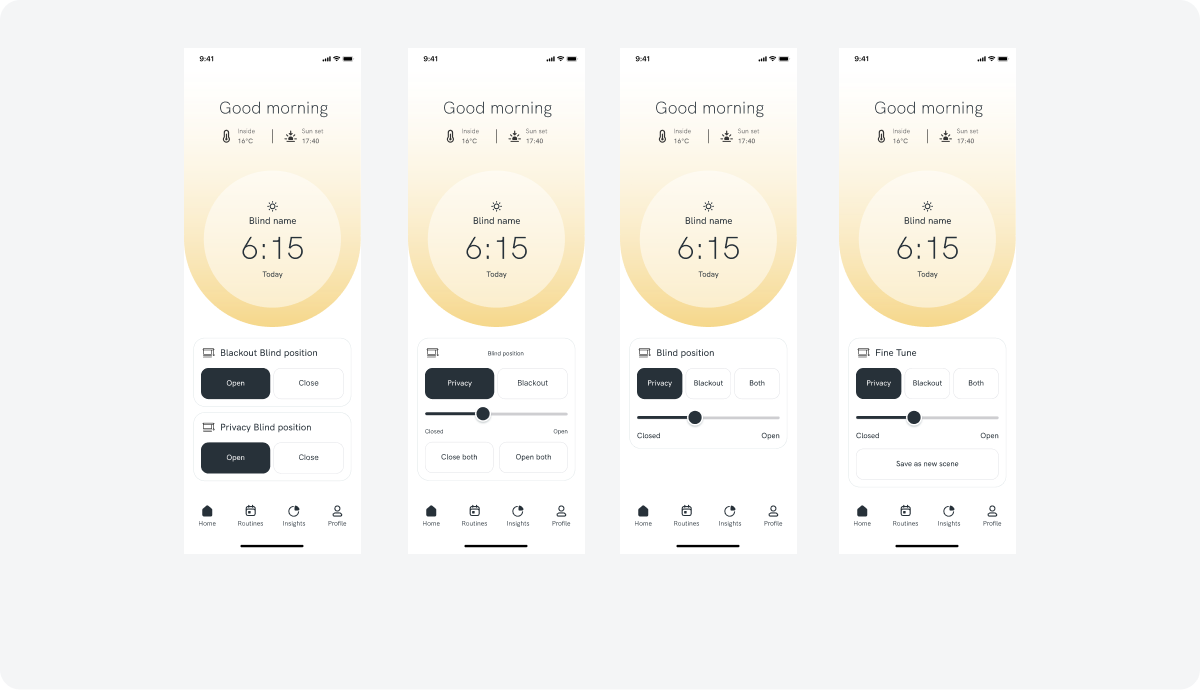
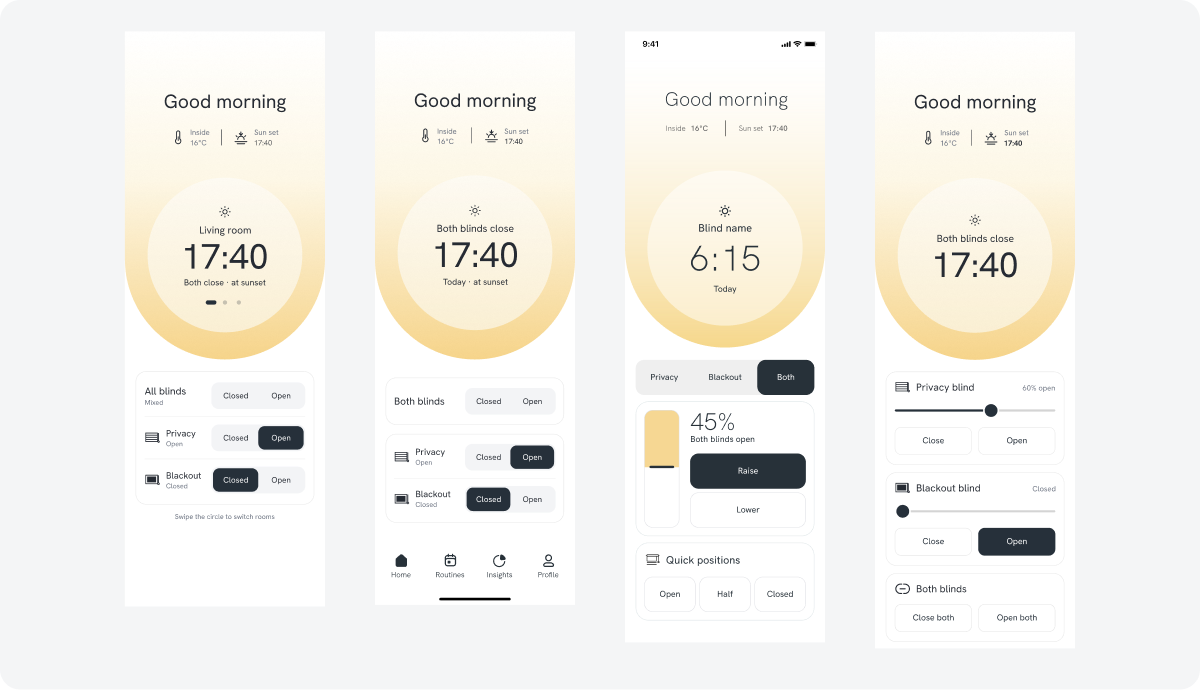
I explored multiple options for controlling the blinds, comparing one-tap shortcuts with two-step controls that pick a blind, then a position.

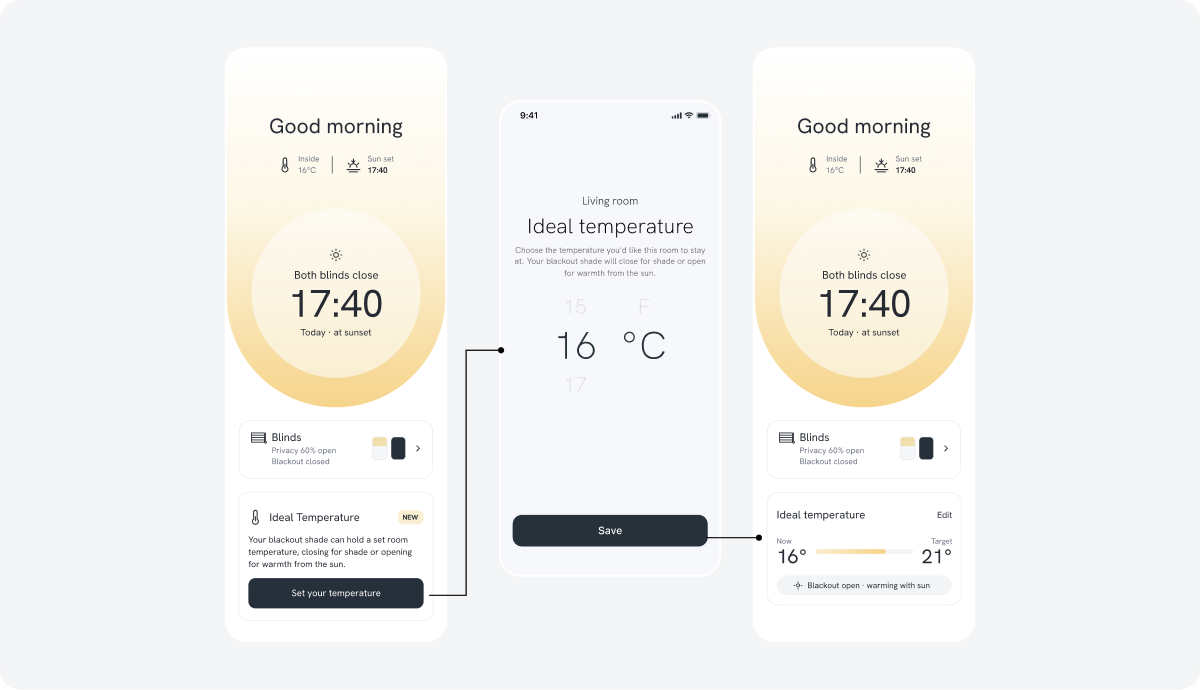
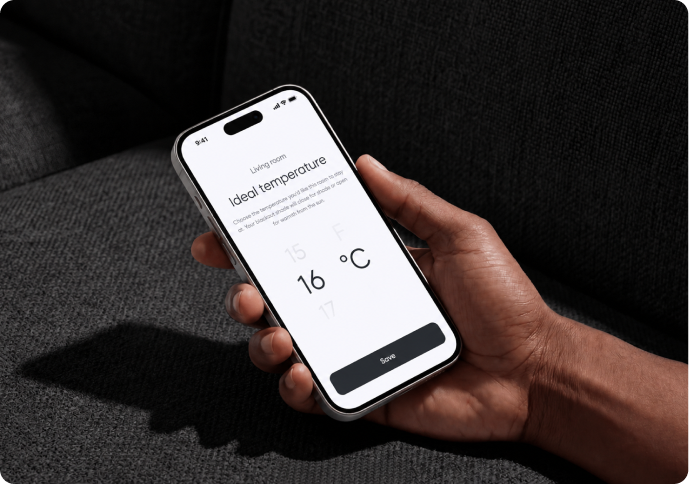
Letting the blinds hold the room temperature.
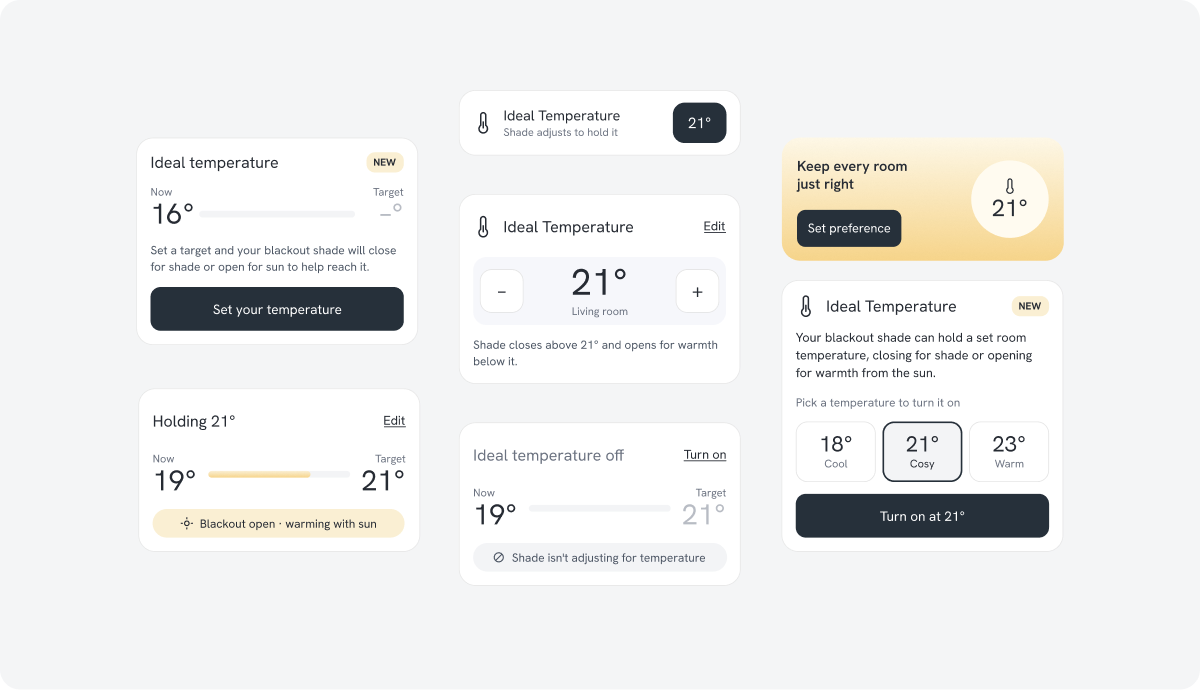
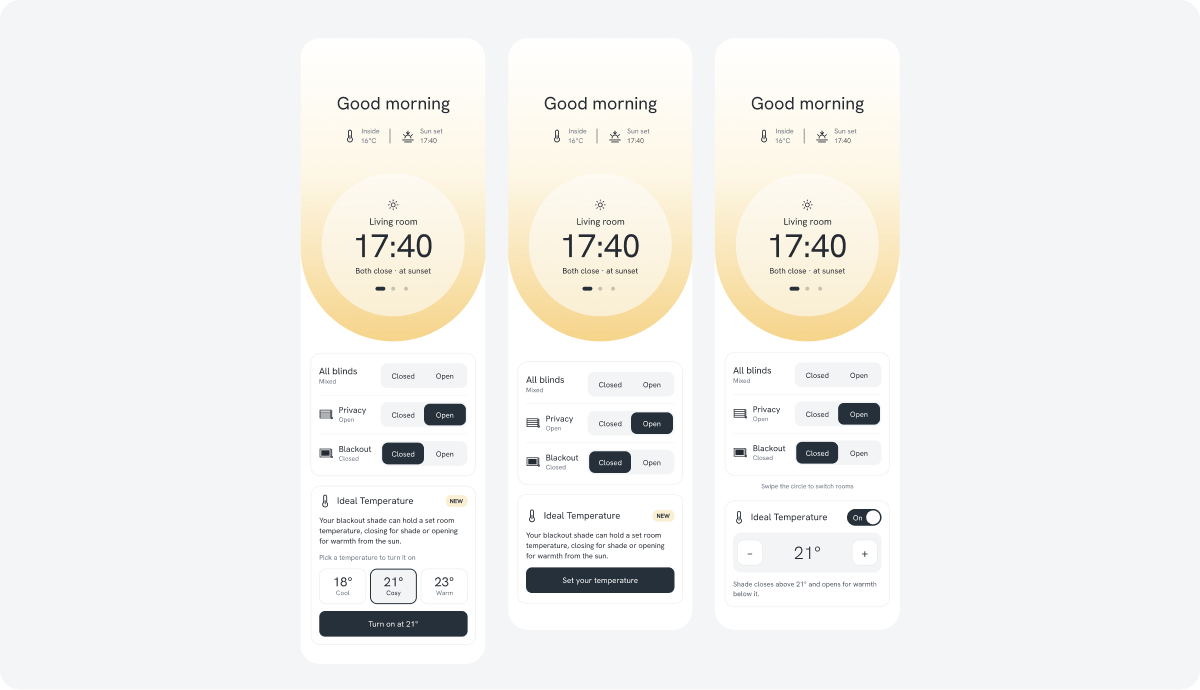
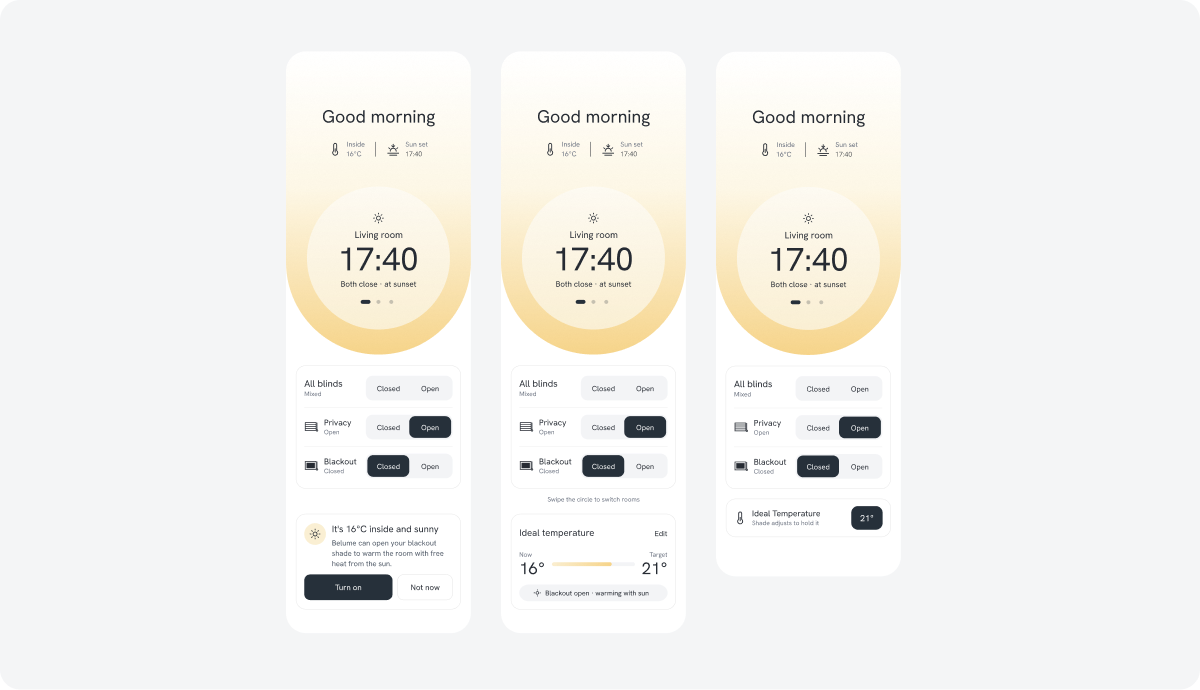
In this V3 concept, owners set a target temperature, and the blackout blind closes for shade or opens for warmth from the sun to hold it. I explored 7 ways to present it, from a quick toggle to a full setting with presets.
Making the little things easier.
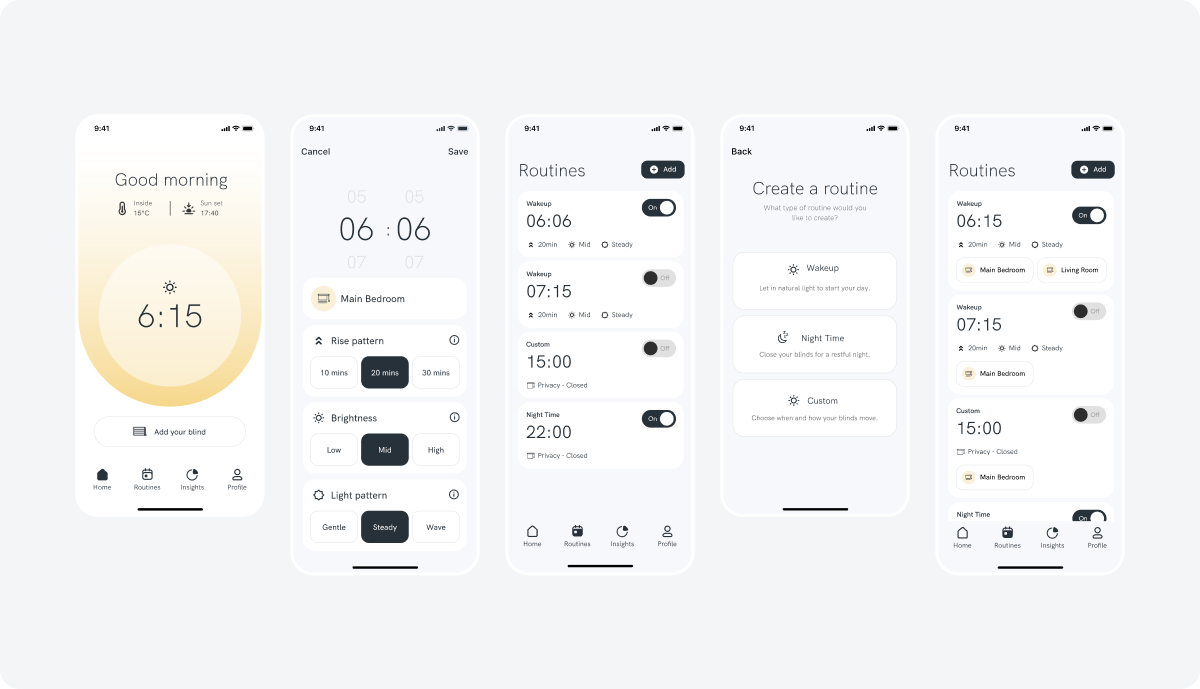
Alongside the new features, I reviewed the rest of the app for smaller fixes: clearer explanations and error messages, simpler setup and easier navigation, so everyday tasks felt more straightforward.


More case studies
Ready to start your next project?
Whether it’s a new project or extra design support for your team, I’d love to hear what you’re working on.